Phone: +1-301-330-88111-800-WILCOXON

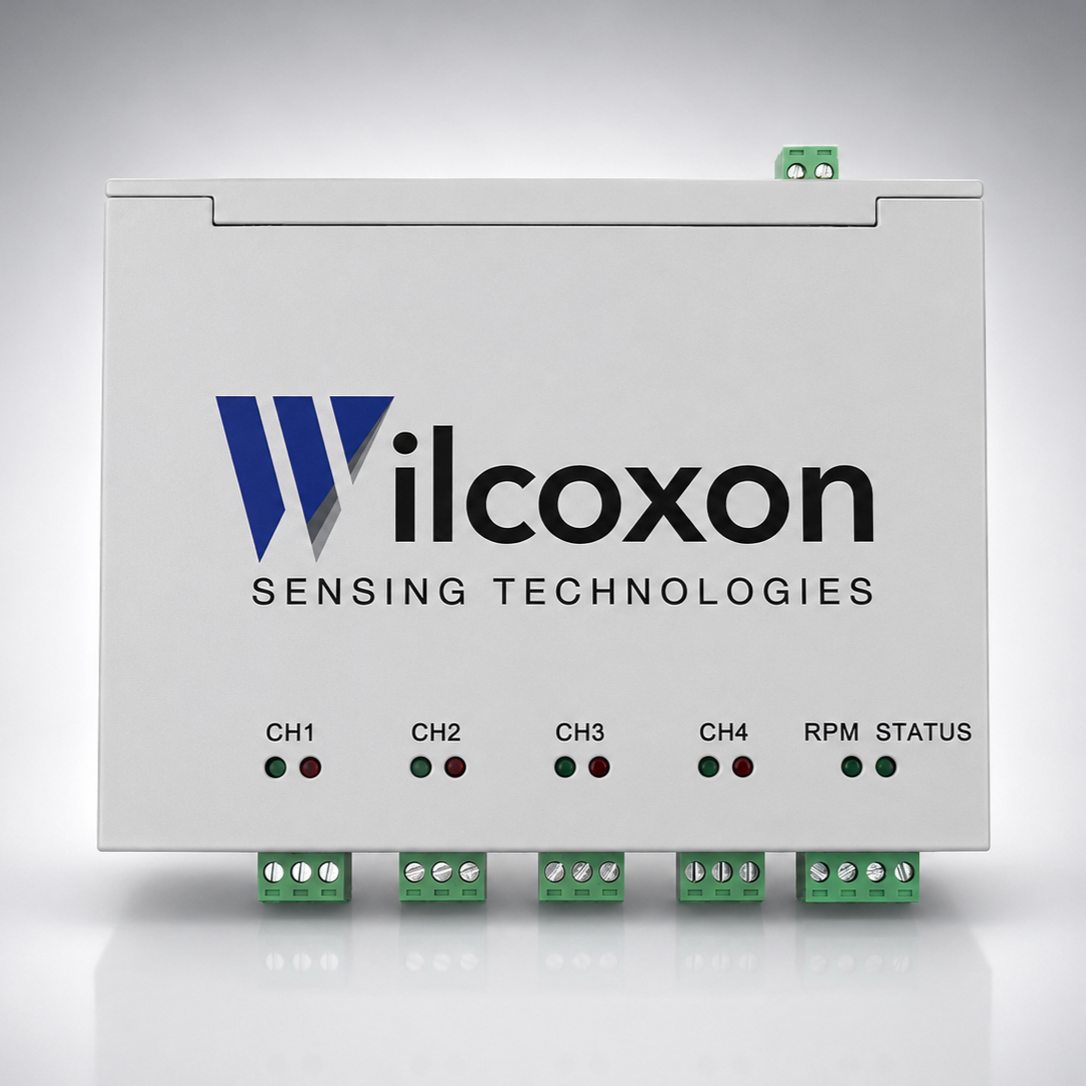
VDS100_ grey gradient sq
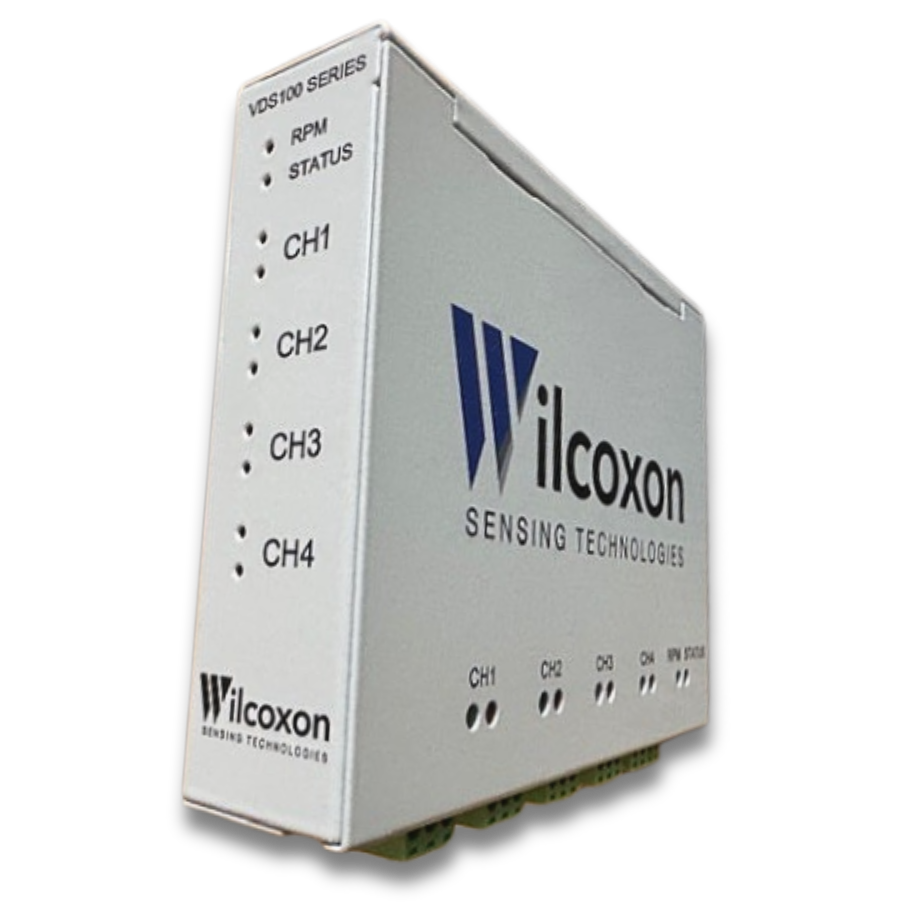
VDS100 angled 2

Vibration Data Source with OPC UA Output

Model: VDS120

The VDS120 4-channel vibration data source converts signals from IEPE accelerometers into digital data that is available through its built-in OPC UA server. Connect analog vibration sensors to the systems already used across your operation, including manufacturing execution systems (MES), enterprise asset management (EAM) systems, computerized maintenance management systems (CMMS), process control and automation systems, condition monitoring platforms, and data historians.

Key features and benefits

  • 4 IEPE input channels – consolidate multiple vibration points in a single device with option for time synchronization using tachometer (RPM) input for applications requiring rotational speed reference
  • Preserves analog signal resolution – FFT spectra and time waveform data up to 40 kHz, with no compromise on data quality
  • Trending with calculated vibration metrics – multiple bandwidths including ISO-defined frequency ranges for acceleration, velocity, and displacement, plus true peak, crest factor, and standard deviation
  • Broad sensor compatibility – supports general purpose, high frequency, low frequency, harsh environment, and hazardous location IEPE piezoelectric accelerometers from any manufacturer
  • Ideal for retrofits and new installations – whether upgrading legacy vibration monitoring or deploying a new digital architecture, the VDS120 seamlessly bridges trusted analog accelerometers with OPC UA-based platforms.

Physical and environmental specifications for the VDS120

  • Power requirement: 24 VDC
  • Power consumption: 10 W max.
  • Exterior material: aluminum (painted)
  • Operating temperature: –10 to +80 °C
  • Dimensions: 120mm x 155mm x 34mm
  • Weight: 420 grams
  • Mounting: optional DIN rail adapter for back- or side-mounting

Complete VDS120 specifications

Device Center Overview

The VDS Device Center is a built-in, browser-based interface used to configure, monitor, and maintain the VDS120. It allows users to set network and OPC UA parameters, configure per-channel measurement settings, and manage user access. An OPC UA Viewer provides direct access to view the OPC UA data available from the device. The Device Center also supports software, firmware, and system updates, enabling commissioning and ongoing device management without external tools.

The dashboard provides live status indicators for each sensor and input channel, reflecting device and signal functionality rather than the condition of the monitored asset. It also provides selectable channel trend charts, with options to reset historical trend data and download it as a CSV file. These functions support device setup and verification; the Device Center does not perform asset health monitoring, alarming, or diagnostic analysis.

VDS120 Device Center: Welcome Admin
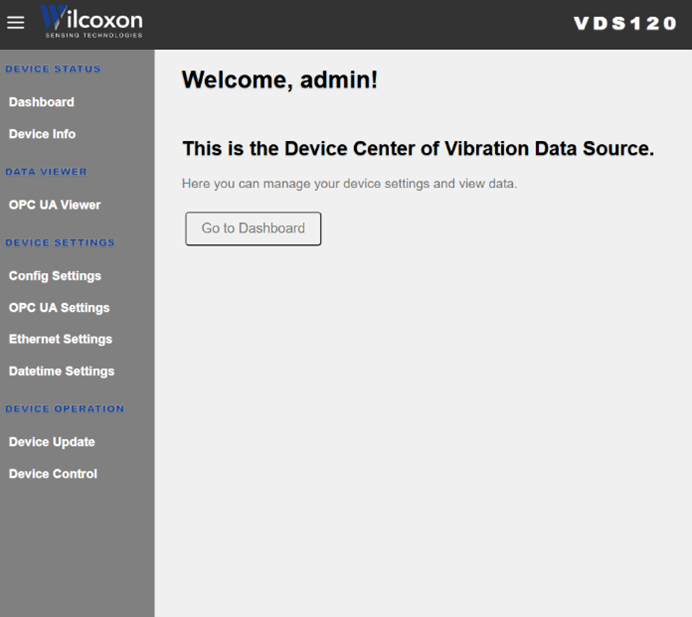


VDS120 Device Center: left hand navigation



VDS120 Device Center: Dashboard
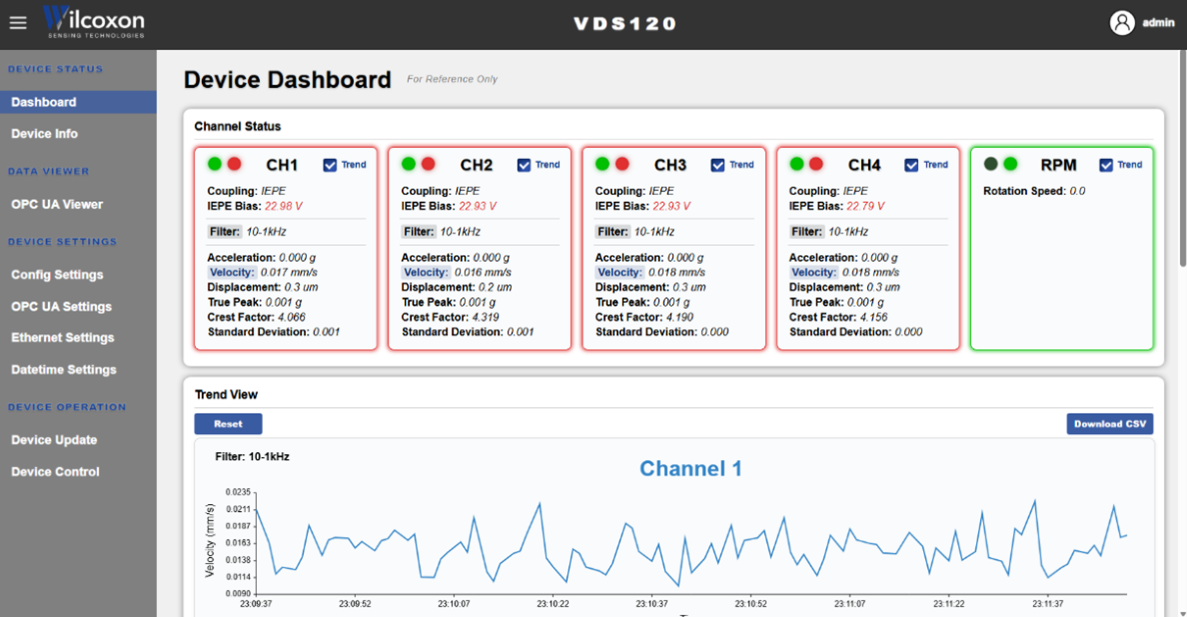


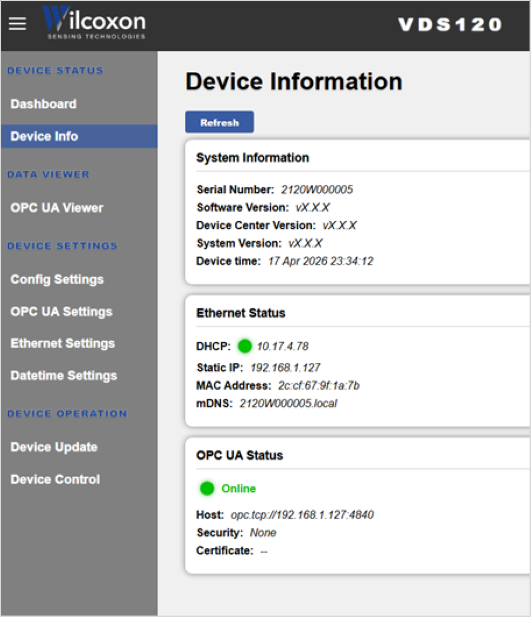
VDS120 Device Center: Device Information


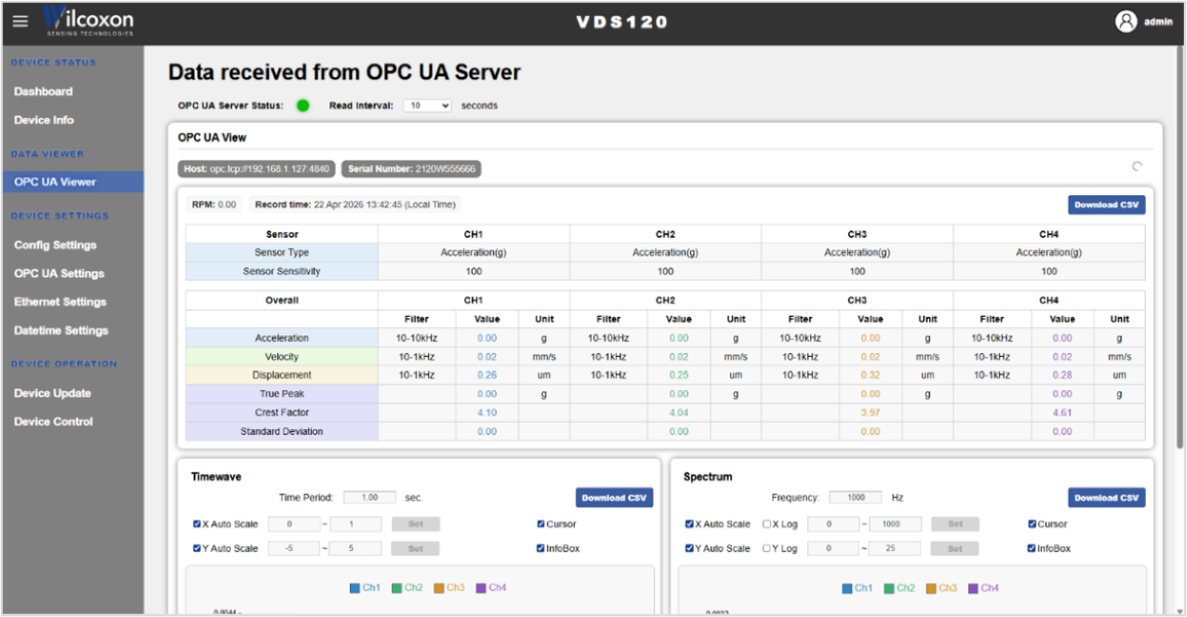
VDS120 Device Center: OPC UA Viewer calculated metrics


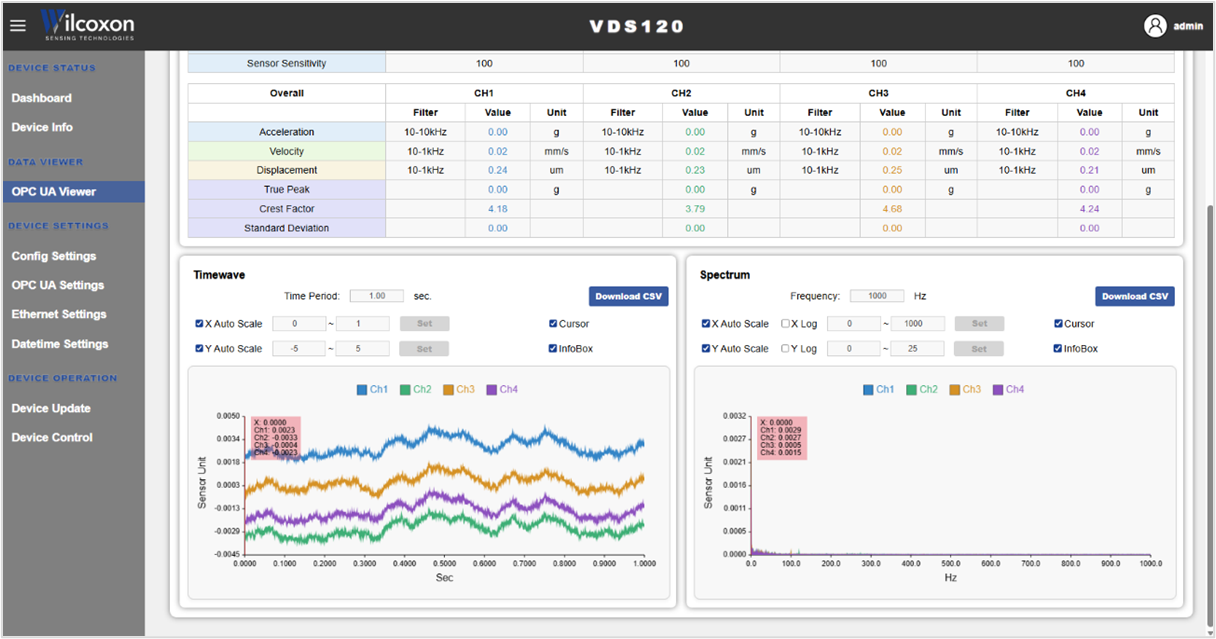
VDS120 Device Center: OPC UA Viewer waveform and spectrum


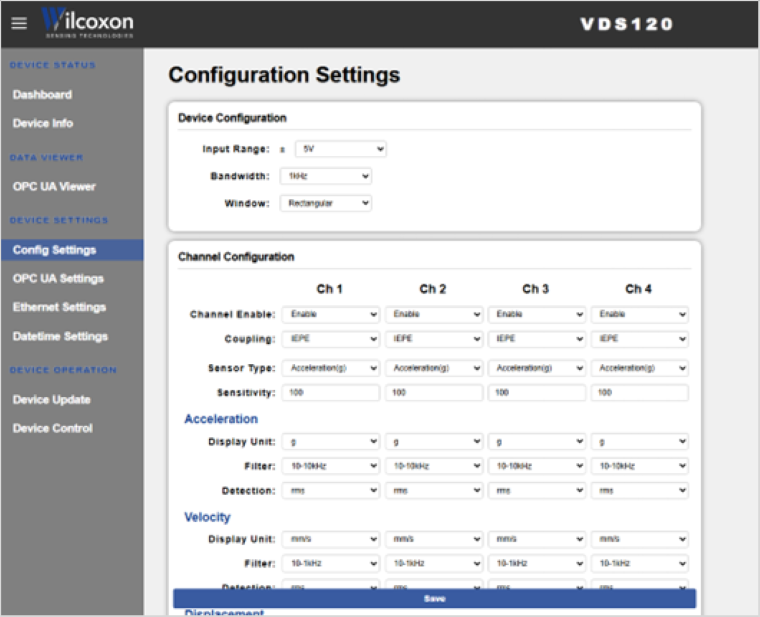
VDS120 Device Center: Configuration Settings


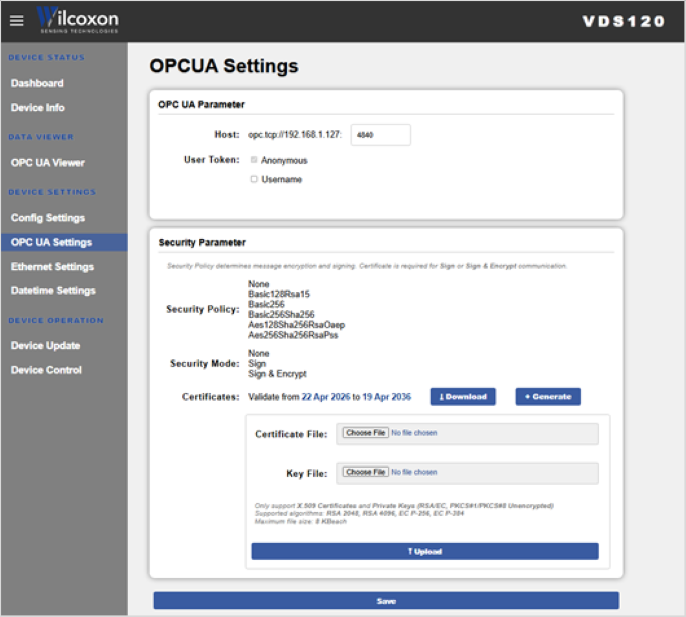
VDS120 Device Center: OPC UA Settings


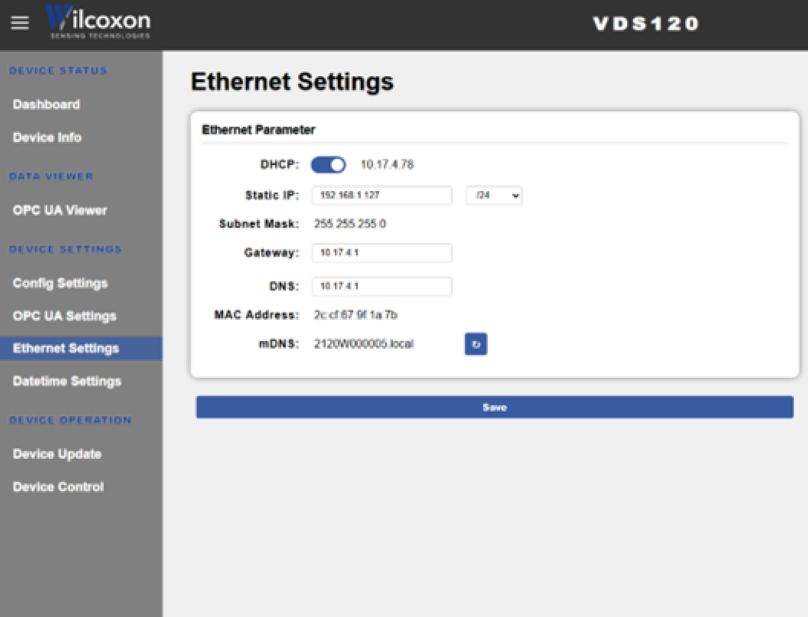
VDS120 Device Center: Ethernet Settings
What types of sensors can I connect?

The VDS120 supports 4 IEPE accelerometers and 1 tachometer (RPM) input for applications requiring rotational speed reference.

You can configure:
• Sensor type (acceleration, velocity, displacement)
• Sensitivity (1–1000 mV/unit)
• Units (g, mm/s, etc.)

You can use Wilcoxon sensors, third-party sensors, or legacy installations.

What data does the VDS120 output?

The VDS120 outputs:

Processed condition data
• Acceleration
• Velocity
• Displacement
• Crest factor
• True peak
Raw time waveform
FFT spectrum

All data is made available through the VDS120’s built-in OPC UA server, ready for access by:
• Manufacturing execution systems (MES)
• Enterprise asset management (EAM/CMMS) systems
• Process control and automation systems
• Condition monitoring systems
• Data historians

Can I view the data locally?

Yes. The built-in VDS Device Center provides:
• Live channel status
• Trend plots
• OPC UA viewer (shows the actual data being read from the VDS120)
• Configuration tools

This makes commissioning, troubleshooting, and validation simple — no external software required.

Do I need a condition monitoring system to use the VDS120?

No. The OPC UA server is built into the VDS120, allowing OPC UA clients to connect directly to the device. A condition monitoring system can be a destination for VDS120 data, but it is not required as an intermediary.

Go digital without compromising sensor performance

Digital sensors play an important role in monitoring applications, but there are use cases where piezoelectric accelerometers provide greater diagnostic capability and signal quality. The VDS120 bridges those sensors into OPC UA-based systems.

ChallengeTypical LimitationIEPE-to-Digital Advantage
Monitoring high-speed or high-frequency assetsMEMS sensors lose accuracy or bandwidth over ~5 kHzFrequency response to 10 kHz for the ILA and 40 kHz for the VDS, providing richer diagnostic data
Low-amplitude vibration detectionMEMS noise floor limits low-level signal captureIEPE sensors deliver superior low-noise performance for early-fault detection
Harsh industrial environmentsMEMS often limited by temperature or packagingIEPE sensors are field-proven for heavy-duty applications, extreme conditions, and hazardous locations
Mixed or legacy asset fleetsCustomers have installed IEPE sensors that won’t connect to your digital infrastructureConverters digitize existing sensors and make the data available to modern connected systems
Long-term reliabilityNewer digital sensing technologies may not have a long-term field history Wilcoxon IEPE accelerometers have an MTBF of more than 25 years and field-proven reliability

We are using cookies to give you the best experience on our website. Our Privacy Policy has been updated.
You can find out more about which cookies we are using or switch them off by changing your browser settings.

Accept All